๐ Elevate Your Game with Razer's Ultimate Keyboard Experience!
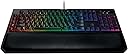
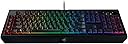
The Razer BlackWidow Chroma V2 is a high-performance esports gaming keyboard featuring Razer's durable mechanical switches, customizable RGB lighting, an ergonomic wrist rest, and advanced anti-ghosting technology, making it the perfect choice for serious gamers.
| ASIN | B01MYZYPYH |
| Additional Features | Lighting |
| Antenna Location | Gaming |
| Best Sellers Rank | #65,239 in Video Games ( See Top 100 in Video Games ) #2,957 in PC Gaming Keyboards |
| Brand | Razer |
| Built-In Media | Keyboard, Wrist Rest |
| Button Quantity | 104 |
| Color | Green Switch |
| Compatible Devices | Gaming Console |
| Compatible Operating System Family | Linux, MacOS, Windows |
| Connectivity Technology | USB |
| Customer Reviews | 4.6 out of 5 stars 852 Reviews |
| Global Trade Identification Number | 00814855021772, 00814855021789 |
| Hand Orientation | Ambidextrous |
| Item Dimensions L x W x H | 1.57"L x 18.54"W x 9.92"H |
| Item Type Name | Razer RZ03-02030200-R3U1 BlackWidow Chroma V2, Mechanical Gaming Keyboard, Ergonomic Wrist Rest, Tactile & Clicky Green Switches, RGB |
| Item Weight | 3.9 pounds |
| Keyboard Backlighting Color Support | RGB |
| Keyboard Description | Gaming |
| Keyboard Layout | QWERTY |
| Manufacturer | Razer Inc. |
| Mfr Part Number | RZ03-02030200-R3U1 |
| Model Name | RZ03-02030200-R3U1 |
| Model Number | RZ03-02030200-R3U1 |
| Number of Items | 1 |
| Number of Keys | 104 |
| Number of Sections | 4 |
| Power Source | Corded Electric |
| Recommended Uses For Product | Gaming |
| Special Feature | Lighting |
| Style Name | Green (Tactile and Clicky) |
| Switch Type | Clicky, Tactile |
| Total USB 2.0 Ports | 1 |
| UPC | 814855021789 814855021772 |
| Warranty Description | 1 Year |
A**E
The keyboard of keyboards... The only keyboard you will ever want, for everything. Just have ear plugs :0
This keyboard is everything that they describe, and for gaming it is pretty amazing. But, anyone thinking of ordering it needs to really be aware of just how noisy it is. I am sitting here writing on it for this review, and the clicks for each key are the loudest of any keyboard that I have ever used. That said, it is also the fastest keyboard I have ever typed on, the best gaming keyboard I have ever used, and the coloring is just super cool. I used the app and created a bunch of different color schemes. You can create as many schemes as you want, applying patterns and colors to individual keys, groups of key, or the entire keyboard. So, in a FPV shooter game I turn on the color for the movement keys, and a different color for the weapon selection keys, and a different color for any other key, and the rest of the keys remain dark. It really makes playing the games that much easier when you can quickly look at the coloring and know which keys are needed and which aren't. You can assign these schemes based on the executable for the game, so that each game can have a custom scheme, and it will automatically load that scheme when you run the game. You don't have to select them scheme ahead of time, or scroll through them. It is really slick. You have options for the colors like "fire", "waves", "ripple" etc. You can set the speed and duration, the colors and everything else for these options. You can assign these options to individual keys, groups of key, or the entire keyboard. So, technically, you can have a different setting on every key of the keyboard. Personally, I try to highlight the keys that are used at any given time, and leave the others dark. When just running windows, or IE, I usually have a default setting where the color on the keyboard matches the color of my graphics card, mouse, and the color of the water cooler on the CPU. I actually have them sync'd almost perfectly, and it looks really cool, like the computer is a piece of art you would want out on display. The keyboard has other nice features. You can disable keys, and remap them, and this can be attached to a specific app or game. Just like the color scheme. I found that in some games I kept hitting the "windows" button and jumping out of the game, where I would have to resume. This usually happened during a critical fighting sequence, and once I resumed I was not "in the moment" anymore, and it would really mess me up. So, in these games I simply disabled the windows button, and the issue is gone. There are 5 macro keys that you can assign to any combination of keys that you want. You simply tell it to record the macro, hit the keys in the order you want, and then assign it to one of the keys, and viola, you have a macro. This is also really helpful, if you find yourself doing the same keystrokes over and over again for something. I don't use this so much for games, but for work. I log remotely into a Linux cluster for work, and do most of the work on the command line. I try to streamline the command prompt as much as possible, but when in GVim I find myself doing the same keystrokes over and over again for things that I could not automate, so I broke out the Macro function of the keyboard and eliminated these sequences. It has drastically reduced the keystrokes and time things take me to complete at work. For gaming, this really is an amazing keyboard. I used to have an issue where I was trying to move, change weapons and jump at the same time, and the keyboard could not handle all those individual keystrokes at the same time. That nearly always resulted in a frag, or at least severely worsening my score. I don't know what the keystroke limit is on this BlackWidow, but I know I have never reached it. No matter what I do with this it works flawlessly, As for looks and feel, this keyboard is definitely a tank. It is rock solid, a nice heavy metal case. You will be shocked when you feel how heavy it is. Keep in mind this is a wired keyboard, which most people are not used to. But, if you are playing games with it you really want the wire. You don't want to have the slight lag inherent to the wireless keyboards, you also don't want the batteries running low, or out, that you have from time to time in the wireless keyboard. It connects to a USB port, and a headphone jack, and on the right side of the keyboard you have another USB port, for a mouse as an example, and a headphone jack, obviously for headphones. Really slick. I use a wired mouse, too, just to get every last edge I can, and this port makes that a piece of cake. If I am playing, but not alone, I will use headphones, so I don't disturb or distract anyone around me, and I don't have to reach to the back of the computer, I just plug right into the keyboard. They really thought this through. The keyboard comes with a wrist pad, which magnets on to the keyboard, and the magnets have a really strong grip, keeping it right where you left it. With the pad I can type for hours and hours and not have any discomfort. As I stated above, I am using this keyboard to write this review. I type 50% faster on this keyboard than any other keyboard I have ever used. It is really shocking just how fast I can type with this keyboard. That brings me full circle back to the only issue that I have with this keyboard... The sound. Keyboard "clicks" used to be all the rage. I have to admit when I use a keyboard that is silent it just feels "wrong". I like the audible "click" and the tactile sensation from the click, too. But, that is all a personal preference. Anyway, this keyboard takes the "click" to a whole new level. Especially when you are typing fast, it sounds like one of those fast electric typewriters hammering away. The tactile sensation is great, and the keys feel really good to type on. But, the audio is just so loud. It is staggering when you first hear it. If you have someone sleeping in the next room and you are up late gaming this keyboard will wake them up and prevent them from going back to sleep. I believe there is another version of this keyboard that is silent. I am not sure if that is the only difference. However, as loud as this is, I think I prefer the massive "click" to silence. That one negative aside, I think this is the best keyboard that I have ever used, or even seen. If you are a gamer this keyboard is for you. If you like to customize the look of your computer, like LEDs on the video card, and other things like that, this is also the keyboard for you. If you like to customize the settings of your computer, and want the ability to change key functions, disable keys, and map colors and patterns onto individual/group/all keys, this is DEFINITELY the keyboard for you. Unless the loud clicks are just too much for you, this is ABSOLUTELY the keyboard for you. Except for the sound you can't go wrong. I really struggled with the 4 or 5 star rating. I have been pondering it, and having a seriously difficult time deciding which value to choose. The keyboard deserves the 5 start, or even 6 if that was possible. But, it is just so friggin LOUD. If it had a slightly lower volume setting, this would be the best keyboard ever, hands down. Unless you really wanted or needed a wireless keyboard, there is no reason that you wouldn't love this one (of course, except the noise). Until now the keyboard was simply a utility required to use the computer. There was nothing special about it. Nothing like the video card, or the case which I had no problem spending hundreds of dollars on. But this Razer has changed all that. They keyboard is now an important accessory for the computer. It is both amazingly functional, and staggeringly beautiful. Combined with the computer, and the mouse, this keyboard has helped transform my computer into a functional piece of art that I would prefer to have on display for everyone to see. Also, the performance, and the additional programmable functionality has really given me an edge in video games that I didn't know existed. Pros: What else can I say, there is nothing that comes close to this keyboard. Heavy, thick and rock solid metal case. Beautiful colors that can be assigned to keys individually, grouped or all. Keys can be disabled, or reprogrammed. Macros can be recorded and assigned to the 5 macro keys. Keyboard settings automatically run depending on the app/game that is running. Supports massive multiple key strokes, more than I can ever do. Ultra fast response time. Has extra USB port and headphone jack on the side. Has very comfortable wrist pad that is held in place by a magnet. The list goes on and on, this is the best keyboard I have ever used. Cons: Noise. That's it. Unless you need wireless, but I prefer the wire for speed and accuracy. NOTE: If you have recorded and on-the-fly macro and assigned it to a key, you might be wondering how to remove it. The manual shows how to create it, and it took me a while to figure it out, and every time I hit an "h" it would trigger my macro. Let's just say, it was tough to get anything done with that happening. To resolve this you open Synapse, the app that goes with the Keyboard. Click the "Macros" tab. You will find under the drop-down box at least one macro called "New Macro 1" or something like this. It might, or might not actually show the keystrokes that are involved in your macro. I read from people that they didn't see the key strokes. But, I did. Once I deleted the macro from the list I no longer had any issues.
T**E
I Like The "Clicky; I Type Faster; But Software DEAD In MacOS 11
I'm not using this keyboard for gaming at all. I just like the clicky feedback for my fingers, and it seems that my fingers remember the feel of an old IBM keyboard from the 1980โs. I find that I can type easily 30% faster-- I can especially tell the difference when I type 18-character passwords! I have chosen this model (which I couldn't find at other retailers such as Best Buy) for the "green" switches (not a reference to environmental concerns, I believe), because of the โgreenโ key responsiveness. The configurable key lighting LOOKS very cool, but above all, it's helpful in my peripheral vision, in locating keys and groups of keys such as numbers and Function keys. I can set the lighting any way I want, and I have the number row and calculator areas one color, the CTRL, CMD, OPTION, and navigation keys another, and individual colors for the Function keys (F1-3 and F5-7 are designated media control keys on the Chroma V2). I haven't programmed the 5 Macro keys yet, but I know they work because I've accidentally pressed the F9 key which records Macros, and got a wild sequence of keystrokes when I pressed one particular key to which an unintended sequence had been assigned. My only real complaint about the Chroma V2 has been my disappointment with the Razer Synapse software and support. The Razer Synapse software is real pretty. But it has taken months for me to get some stability on the keyboard as the keyboard wouldn't maintain my settings once the iMac went to sleep or if I restarted or shut down. I had previously returned 2 keyboards to Best Buy because I thought there was something wrong with the keyboard itself. Sorry, Best Buy. I eventually found that I had to open the software each time I started up again, and sometimes I had to import my saved configuration again. It turns out that the software needs to be continuously signed into your account on Razer's website. (Who would choose that option?) I'm not sure if that was the only part of the solution, though, as I have now added the Razer Synapse software as a Startup Item in System Preferences. Support from Razer through the web site hasn't been prompt, but they do eventually respond by e-mail. Calling the Help number has been useless, as I have been repeatedly referred to the Razer web site for "Chat." Not satisfactory. Iโve had to figure out solutions, for the most part, on my own. And this may be why it has taken from June to October 2017 for me to get some stability with the keyboard. The Razer Synapse software is updated fairly often, though, so that may be a sign of responsiveness. But I will say that Iโm enjoying the keyboard. And it has a nice black leather wrist rest, which, while a little sticky, is very comfortable. I'll also point out that I've purchased the 4-year Protection Plan, because of the mechanical nature of these keys. I hope I don't ever need the Protection Plan. __________________________________ Update: Just over 1 year after I purchased the keyboard, one key would no longer show the color I programmed for it, and another key had stuck. Razer sent me a new keyboard, even though I believe mine was 1 month past warranty. I still like the precision of the keys, and the lighting helps a lot-- the light cues in my peripheral vision, I believe improves accuracy. And still, Razer is really responsive in the Support Department, and I think they really do try hard. But darn, if this isn't buggy software for a Mac. I'm always having to fiddle with settings, reconfigure settings, import settings files again, for instance. The 5 dedicated Macro keys are very helpful-- but they are the subject of my latest communication with Support-- they work intermittently. __________________________________ Update (4/4/2021): As of MacOS 11 (Big Sur), Razer no longer supports Mac, and the Synapse software wonโt work. Iโve had to uninstall Synapse, and Iโm using the keyboard without. Other than having to switch the Command and Option key assignments in System Preferences, the keyboard works without Synapse software โ which, in a way, is a big RELIEF โ it was a pain anyway. The Function keys designated for media still work, but sometimes unevenly. The 5 Macro keys donโt work at all, and are useless without Synapse. I no longer have customized key lighting without Synapse. And Iโm looking for a new mechanical keyboard, and specifically one thatโs made to work with MacOS.
C**N
Great keyboard!
A bit pricey, but it's a Razer product, so that's to be expected. The lighting effects are very neat, the macro keys are useful, and the wrist rest is ridiculously comfortable. It also has media and volume control programmed into the function keys, so if you're playing a game in fullscreen, you don't have to minimize it or alt-tab or whatever to change the volume. Also, the keys feel so good. I was previously using a non-mechanical keyboard, and didn't really know what the hype around these keyboards was about. But after trying it out, I don't think I can go back. I'm using the Razer Green switches, which are very clicky. They feel great, but do be warned, they're loud as all hell. So if you don't want to annoy people, probably go with orange switches instead. I haven't tried them myself, but apparently they feel the same, but are significantly more quiet. Lastly, there is a neat feature that allows your keyboard's lights to react to the game you're playing (this can be disabled). For example, in Divinity Original Sin 2, my keyboard doubled as a second loading bar; and every time I would activate a spell, the lights would ripple (the color of which corresponding to the type of spell I was casting). The only minor gripe I have is that one time my keyboard froze. The keys still worked but as I was casting a spell, the lights froze mid-ripple, and the only way to fix it was to unplug the keyboard. But I'm not sure if that's the keyboard's fault or the app that synced it up with the game. Definitely pick it up if you don't mind spending almost $200 on a keyboard.
M**W
Great keyboard not clicky enough
Love this keyboard been using it for about a year now. I love razer and their design and durability. This is a UNIT of a keyboard. It is very heavy and has great friction pads so that thing is not moving. Despite the keyboard itself being made of plastic it has absolutely no flex. One of my favorite features is the magnetic thick wrist rest. You can move it get rid of it attach it to the keyboard it makes the keyboard so comfortable to use. Couple problems come when I start typing. The mappable keys are in the worst spot because now your typing is a little shifted and your key-awareness is slightly off center. I have 2 setups and it is such a pain switching between my standard basic keyboard and my razer and it is one of the reasons I prefer using my standard keyboard for typing bc when I switch from my laptop keyboard and back I don't have to readjust and I can ramp up to full typing speed no problem. When I sit at my black widow it takes me a minute to readjust and start typing full speed again for most users looking at this product probably won't matter too much as gaming is probably the primary focus in which case its great. Razer does an OKAY job at copying the standard cherry MX switches I like the greens but it does not have the same tactile feel and sound as the cherry MX blue switches that being said they are very very good these criticisms only apply to typing feel really and not what this keyboard was built for so hard to judge to harshly for it.
R**F
Even with some slight issues, this is a great purchase
After using a membrane keyboard for about seven years, I decided to get this one as a my first mechanical. I was skeptical about why everyone always was crazy about them but after using this for a while, I understand the hype now. With that being said, it took a couple of days to get used to the key placement since I've never used a keyboard with macro keys. It isn't an issue anymore like it was initially. The lighting is very nice but I do think there needs to be some sort of improvement on the secondary icons on keys being more distinguishable since the main key function is lit up but not the secondary function. It's not so much a problem if you already know where those keys are but for someone not familiar with which keys have what secondary function, you may need to use this keyboard in an area with good lighting. There is an option to make lights brighter or more dim through the software, Synapse, but I found that making the lights brighter only makes the secondary functions even more difficult to see. It's a matter of preference though and it doesn't particularly bother me, but I can see and understand why people don't like it. I also have noticed that if I have my colors set to white on static lighting, quite a few keys on the numpad will randomly turn blue. When I change to something more distinguishable, like red, they don't light up at all and it takes some adjusting until it is fixed. I am not sure if other colors have this issue of random keys changing color or refusing to light up unless you tinker with the software a bit and, while it is a pretty small complaint, I don't think it's too much out of the question to expect it to work properly. (I bought this keyboard refurbished, which should mean any issues were fixed before it was resold) Although it could just be a software issue and not an issue with the keyboard itself. I don't think this keyboard deals with static colors as well as it does the random lighting effects you can choose in the software. Typing on the green switches is comfortable. I don't know if I would suggest getting the green switches if you're in close proximity to anyone who wouldn't want to hear you clicking and clacking away when you're typing but they feel nice to type on. I'm not as familiar with mechanical keys in how they are meant to sound but the spacebar has a far deeper click than the normal keys in terms of the sound. The included wrist rest is a great feature and is very comfortable to use. Easy to remove and put back on with a pretty strong magnet that doesn't fall off even through picking the keyboard up by the sides. As long as you aren't jerking it around or picking it up as quickly as you can, it shouldn't fall off and I haven't felt it move side to side through any use. It is fairly heavy compared to the old Razer Lycosa I was using before. While I know it is likely because there is more to it, the build quality feels great and sturdy. It has a sort of textured hard plastic and doesn't feel cheap by any means. Overall, I personally enjoy this keyboard quite a bit. Beyond some strange design choices in the key functions being on the top, rather than the bottom, as most keyboards do, this isn't such a big deal if you are using it with lighting enabled (which everyone likely is). I think the secondary functions should be more easily seen either with a brighter finish or by just allowing them to also be lit up. One thing I think would be especially cool is if the lighting would switch for any keys that had a secondary function when using shift or the function key to show the secondary function of a key. Just an idea but could be a cool feature in the future. The USB and audio pass through jacks are on the right side of the keyboard. For most people, the right side is already occupied by where your mouse and pad would be. While I don't personally use them, I think putting them on the back would have been a much better placement for anyone who would intend on using them. Take my criticisms with a grain of salt since this is my first mechanical keyboard I have used and some things I brought up (the spacebar sounding a bit more clunky than other keys) are either similar across all mechanical keyboards or is just natural to sound different due to the spacebar being much longer of a key. Some quality of life improvements could be made like the slight lighting issues and visibility of secondary function keys but I don't think that is a reason to not buy this keyboard as they are very slight and personal taste issues. If you know what keys do what already, this shouldn't bother you since you wouldn't need to be looking at the keys regardless. If you are relatively inexperienced with typing/gaming, I would only suggest you have sufficient lighting wherever you are going to use this keyboard so you can see those functions if need be. I think if you have the money to spend and don't mind any issues I brought up, this is a pretty solid choice overall. Edit: Through online searches, I found a firmware update that fixes the numpad lighting issue. Now, there seems to be an issue with the numpad flashing once in a while. It is not a huge issue and only lasts for a second, at most, but it is still an issue regardless. Razer does not publicly provide firmware updates and seemingly will only give them to you through contacting them and them giving you a link if they determine you need to update your firmware. Synapse only provides driver updates and updates for the Synapse software, itself. I am unsure of why Razer is holding their firmware updates away from being publicly available so be aware that you will likely need to contact them or do some deep digging online for someone who will provide the firmware update for you.
S**A
Absolutely the best
Being a software engineer and blogger I use the keyboard a lot through the day. I recall using mechanical keyboards in the 90's when Computers were just finding their way into homes in India (where I grew up). Most people hated the clicky sounds and tactile feedback that keyboards had and everyone seemed to yearn for the quieter chiclet/island layout modern keyboards which made almost no sound. I was no exception either. Couple of decades later here I am trying to find myself a mechanical keyboard because I am tired of the quiet and ergonomic designs. Actually the ergonomic design is still really nice, in fact I use one at work almost all day (the Microsoft sculpt ergo) and I like it a lot. 1 week of using the Razer Chroma BlackWidow V2 I don't think I will go back to any other keyboard. Yes my typing speed has taken a hit as my fingers adjust to the spacing of this keyboard and the amount of pressure you need to apply for each keystroke; however using this keyboard is sheer joy. Like that fountain pen you have used for years and eroded a certain angle of that steel nib. The Chroma lights also add to the charm as well. The way the keyboard lights up a dark room with its psychedelic effects is quite mesmerizing! The wrist pad is literally the best I have ever had in a keyboard. I am definitely going to be using this keyboard for a long long time. In fact I am thinking of getting another one for work (this would also help my fingers adjust better when I use the same keyboard everywhere). However I just wish they had a wireless option for this keyboard :)
D**.
This is a great keyboard.
I recently changed jobs and started working with a software development company. When I got there, I was pleased to see that all of our departments peripherals were razer gear, which I heard great things about. I never really understood why people loved it so much, but one of the guys nearly collects their keyboards and mouse setups he loves them so much. After about a week or two of using them, I loved how it felt, and how it could be programmed. One of the guys had used some python programming to program in his own set of macros to use depending on the app he used on his linux box. Keys lit up depending on the editor he used for most commonly used things, some of the other stuff he used had keys not lit up at all if they weren't used, that kind of thing. We use proxy as well so whenever the computers would lock the keyboard would switch out profiles to colors. So you could just walk away from the PC and when it changed colors you knew it was locked for peace of mind. Ended up buying my own after getting an off brand that was a nightmare. Decided to spring for a real razer and i've had not a single issue with it. I absolutely love it to death. When it comes to gaming gear or good quality peripherals, i will not go for anything else in the future.
M**R
All of that stopped however after about 286 megabytes out of 289 (or something like that) it hung and wouldn't go any further
OK well, I guess I may not be as die hard a gaming geek as some folks, but I have to say I am pleasantly impressed with this thing. It took quite some few minutes to download the driver. When I plugged it in it automatically asked to connect to the net and download this application "package". All of that stopped however after about 286 megabytes out of 289 (or something like that) it hung and wouldn't go any further. Nothing I did would make it finish and I couldn't get it to come back. So, I got onto Razer's website and found the "Synapse" download, which was actually a fraction of the size and THAT was really all I needed to configure the thing. The interface for setting the color patterns was pretty easy, and didn't take long for me to pick what I wanted and get it going. It has lots of stuff you can do with the keys, which I haven't even got into yet, but at some point I will, and the "Function" keys all have extra function to do with your audio and other settings. The keystrokes are nice and solid, and they are indeed "clicky" which was actually louder than I expected, but I quickly got used to it. Anyway I'm very happy with it so far, and it is a temptation to get one for my office PC just to jazz up the place. : ) I'm giving it a 5 because I can't give it a 4.5, but there are enough lower reviews it will balance it out. I like it.
S**.
... bought an MSI GE72MVR 7RG laptop and if you're like me and never used a gaming keyboard before then ...
I just bought an MSI GE72MVR 7RG laptop and if you're like me and never used a gaming keyboard before then I would say you should buy this if you're a serious gamer and love your games. One of the primary reasons why I bought this was that as with all laptops, after playing a game for a few hours on your laptop, the laptop's keyboard tend to make your hand sweaty after some time and also I like to use my laptop as kind of a desktop screen somewhat away from me as it provides a richer immersion for me. Coming to this keyboard, its worth every penny I've spent, the keys are clicky and responsive and has a rating of 8 million keys, which means that only after 8 million keystrokes you have a chance of witnessing some key response problems and for most of us its not going to even reach that point unless ofcourse you want to try it yourself. The LEDs on this are fantastic and offer an endless color combination for you. Highly recommended. Although it comes with a foam rest, I didn't like that as for me it sacrifices some speed and mobility in my key typing but it can be to each his own I guess.
M**N
Such a nice keyboard!
Okay so I haven't fully tested this keyboard yet (I'm actually testing it by writing this review lol). Anyway, my review is not that useful. It's my first mechanical keyboard so I'm hype right now...and I just love this clicky sound so much!! I had a Razer Deathstalker for about 4 years now and didn't have any complaint. All the lightning effects are stunning (though kinda useless). If I ever get to try the lightning sync with some games I will update it. What I also like is that I just bought a new mouse too (Razer Deathadder Elite), and you can match de lightning effect. Overall this keyboard looks pretty solid. Heavy, thick cable. I'm just a casual gamer so I won't review upon the performance. But as a normal user, I like it very much. I wouldn't pay the $230 for this (unless I'm an hardcore gamer), but on sale at $130 it's a must. I was hesitating between this one and the new Blackwidow Elite. What I liked about the Elite was the media dedicated keys. But for the price, I thought it wasn't worth it. And anyway, with the 5 macros keys, I already linked them so they are Up and Down volume, Play/Pause, Previous and Next track. So I got my media keys lol The wristrest is sooo comfy. I will update if I ever think of something. Cheers :)
N**N
Excellent Choice for Software Developers and Writing Documents
This keyboard was highly recommended by many of my friends who are avid code developers and write tones of code every day. Excellent product and worth every penny, I no longer get any finger aches while writing a lot of code or documents. Overall and excellent choice if your job involves a lot of typing, I don't understand why it's called a gaming keyboard! Gamers only use few of the keys :) as compared to people who write documents and develop software applications. I use this along with a Dell D6000 universal dock station Dell Universal USB 3.0 USB-C Docking Station D6000 Supports up to Three 4K Displays and Dell P2417H Monitor Dell P2417H 23.8-inch Professional Monitor . Overall very satisfied with my choice and Amazon discounted price, I got it for a deal price of 10990 and can't complain about it. Along with this I also bought Amazon Basics Large Mouse Pad AmazonBasics Extended Gaming Mouse Pad .
J**G
Clickety-clack. If you don't like the clickety-clack, don't buy a mechanical keyboard
I love the switches in this keyboard. I love the clickety-clack of a good mechanical keyboard, it's music to my ears. And originally I didn't care about RGB, but I immediately fell in love with it. I want more RGB now! Seriously though, the quality of this keyboard is phenomenal, and the 5 macros are an added bonus. I highly recommend this keyboard over any other brand out there, if you can get your hands on one. And the green switches in it are literally music to my ears. I type whole novels now when talking to friends just to hear the keyboard noise,I love it!
Q**Q
Great keyboard but far from perfect
I love almost everything about this keyboard with exception of a few things. I don't want to repeat whats on the product description, rather what isn't. Pluses: - Chroma gaming, games are coming out in which razer will match your keyboard lights with the game (Overwatch is a great example of that), everything is automatic so no settings required, also it will sync with Philips hue hub/lights which is awesome and gives you a more immersive experience! - Its a very nice clicky sound and feel, I love it as an all purpose keyboard for school and gaming. - magnetic wrist rest which is very nice and feels great. - all lights and keys can be individually turned off and on with synapse software, super cool! Customization settings are all over the web which is awesome! - some effects can be synced across razor products (gaming pads, mouse, etc.) Minuses: - no function lock for the fn key... what the.. - cant program the 5 programmable keys to serve as a second fn key, what the.. - the dumbest thing is that none of the secondary icons on the keyboard light up, who the heck had that idea... I want them to light up!! Most keyboards do that... - the headphone jack is useless as under powered, only works with earbuds and small headphone, def not gaming or professional headphones. - the usb port is 2.0 only, even when i plugged it into a 3.0 port and its upsidedown!!! i know this because the light on all of my usb sticks face up in any other port except for this one... come on razer.. The good news is everything except for the secondary icons not having lights can be fixed with synaps software so remains to be seen. So as i said, a great keyboard but far from perfect. There are some silly issues and engineering oversight for such a nice keyboard and reputable company. All in all, still a solid contender.
Trustpilot
2 weeks ago
2 weeks ago