Desertcart purchases this item on your behalf and handles shipping, customs, and support to Mongolia.
💼 Backup like a boss—powerful, portable, and ready when you are.
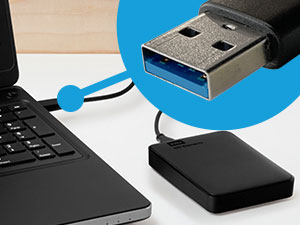
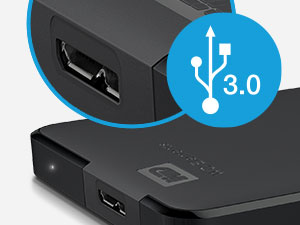
The WD 2TB Elements Portable External Hard Drive delivers high-capacity, reliable storage in a sleek, compact design. Featuring USB 3.2 Gen 1 for fast 5Gbps data transfers and plug-and-play compatibility with both Windows and Mac, it’s the perfect on-the-go solution for professionals needing secure backups and easy file access. With a 2-year warranty and top user ratings, it’s a trusted choice for managing your digital assets effortlessly.


| ASIN | B06W55K9N6 |
| Additional Features | Portable |
| Best Sellers Rank | #4 in External Hard Drives |
| Brand | Western Digital |
| Built-In Media | Portable hard drive, USB 3.0 cable, Quick install guide |
| Cache Memory Installed Size | 1 |
| Color | Black |
| Compatible Devices | Desktop, Laptop, Gaming Console |
| Connectivity Technology | USB |
| Customer Package Type | Standard Packaging |
| Customer Reviews | 4.7 out of 5 stars 165,356 Reviews |
| Data Transfer Rate | 5 gigabits_per_second |
| Digital Storage Capacity | 2 TB |
| Enclosure Material | Aluminum/Glass |
| Form Factor | 3.5-inch |
| Hard Disk Description | Mechanical Hard Disk |
| Hard Disk Form Factor | 3.5 inches |
| Hard Disk Interface | USB 2.0/3.0 |
| Hard Disk Rotational Speed | 5400 |
| Hard-Drive Size | 2 TB |
| Hardware Connectivity | USB 3.0 |
| Hardware Platform | PC |
| Installation Type | External Hard Drive |
| Item Dimensions L x W x Thickness | 5.8"L x 4.8"W x 1.8"Th |
| Item Type Name | 2000 GB external HDD |
| Item Weight | 4.64 ounces |
| Manufacturer | Western Digital Technologies, Inc. |
| Media Speed | 1 |
| Mfr Part Number | WDBU6Y0020BBK-WESN |
| Model Name | Elements Desktop |
| Model Number | WDBU6Y0020BBK-WESN |
| Number of Items | 1 |
| Read Speed | 1 gigabytes_per_second |
| Special Feature | Portable |
| Specific Uses For Product | Personal |
| UPC | 718037855363 |
| Warranty Description | 2-year Limited |
G**W
Great for Backups, Small, Easy to Use
Exactly what I was looking for to backup two laptops. Literally plug and play, you don't need to load the WD software if you're not going to use it. I use iDrive local backup with separate accounts for each laptop and it worked flawlessly. For an external drive it's very fast and easy to use, just like working with your internal drive. It's also small, fits in the palm of my hand, so very portable. A lot less expensive and easier to use than NAS storage options.
2**S
Worked Great on a Brand New 2022 MacBook Pro with the M1 Pro Chip
Worked Great on a brand new 2022 MacBook Pro with the M1 Pro Chip. It's amazing how cheap HDDs are now. I will continue buying them until the price of external SDDs goes down. You can literally get twice as much storage capacity with HDDs for half the price of a SSD. As always, with external drives used to do backups on Mac computers, you must reformat the disk before doing the backup and this WD is no different. Reformatting is a very easy task as always, and it takes no more than a few minutes to get the external drive ready for your Mac. However, I ran into some issues with Time Machine on the newest version of Monterey (the one that came installed in the laptop). It seems like it no matter what format you choose when reformatting the external drive, Time Machine automatically reformats the drive on its own to the new Apple File System (APFS) when you do your first backup. Not only that, but once Time Machine reformats the drive to APFS and completes the backup, then it blocks the HDD and you cannot use it to save anything else in it, drop files, etc. It basically locks the drive for backups only. Oh, and with the APFS format you cannot use the drive to backup older Apple computers. I NEVER had this happened in any of my Apple computers before. I tried a few other HDDs from other brands to ensure this was not an issue of the WD brand. They all did the same, so I knew it was an Apple software glitch issue. It took several calls to Apple to figure out that yes, Time Machine does this. The only way around this issue is to create a "new volume" in the external HDD. Then you can use the separate volume to save other things, drop files, etc. You could create as many volumes as you can, and the APFS makes it very easy. When you plug the HDD, the volume for the backup pops on your desktop (Time Machine color), along with any other volumes you created (yellow color). Hope this saves somebody out there a lot of frustration and aggravation trying to figure out what the issue with Time Machine and external drives using the newest Monterey version. I also hope Apple fixes this problem. It makes no sense that you select a specific reformat option but then Time Machine ignores it and reformats to APFS against your wish and block the drive in the process. The WD external drive works great. It is a really great value for 2TBs of storage, and it is a very small and lightweight drive. All the issues mentioned are specific to the Apple operating system that would happen with any HDD of any brand.
A**S
Reliable External Storage - Perfect Capacity and Performance!
The WD 2TB Elements Portable External Hard Drive has been exactly what I needed for reliable, high-capacity storage! This drive delivers outstanding performance and convenience for backing up files, expanding storage, and transferring data. The 2TB capacity is perfect for storing massive amounts of photos, videos, documents, and backup files. Having this much portable storage has eliminated my constant worry about running out of space on my laptop. The USB 3.2 Gen 1/USB 3.0 connectivity provides excellent transfer speeds that make backing up large files quick and efficient. No more waiting hours for file transfers - this drive moves data fast enough for practical daily use. The portable design is ideal - compact enough to slip into a laptop bag but substantial enough to feel durable and reliable. The sleek black finish looks professional and the size is perfect for travel or desktop use. What sets WD apart is their proven reliability. This drive has performed flawlessly for months of regular use without any errors, corruption, or performance degradation. Western Digital's reputation for quality storage is well-deserved. The plug-and-play functionality works perfectly with Windows systems - no software installation or complicated setup required. Simply connect and start using immediately for seamless storage expansion. This external drive has provided peace of mind for data backup and practical storage expansion. Outstanding reliability, capacity, and performance at an excellent value. Highly recommend for anyone needing dependable external storage!
A**N
Computer hardware
I’m very pleased with this 2TB external hard drive. It provides plenty of storage space for backing up photos, videos, documents, and other important files without taking up much physical space. The setup was simple, and it was easy to connect and start transferring files. The drive is compact, convenient to carry, and performs well for everyday storage and backup needs. I especially like having the extra storage available without having to rely entirely on cloud storage.
M**S
Reliable Storage that Works Well
This portable external hard drive has been a very reliable storage solution for backing up files and transferring data. It connects easily, works consistently, and provides plenty of space for documents, photos, and media. The compact size makes it easy to carry and store, which is great for both home and work use. Overall, it’s a dependable and practical storage device that performs well for everyday backup and file management.
F**R
no issues since buying in 2020
idk why the AI review says that customers are saying this doesn't work with Mac - you need the adapter for the new Mac models to plug it in, but it is absolutely compatible with Mac computers. I have had this model for 6 years now, purchased in 2020 and it has never had one issue. And I travel with it everywhere and have used it to back up countless photoshoots. Taking files off and on countless times. I came to purchase a new one because I need additional storage. I would definitely recommend this hard drive.
A**R
Seems to be Excellent!
I'm writing this review as my ELEMENTS 2T is still in the process of backing up my Dell Windows 7 laptop. I had an HP 1T external hard drive, but it's chock full. So anyway, I have a few things to say about the set up that may help someone else who's replacing a smaller external hard drive, and/or whose PC or laptop isn't the lastest OS. (1) when I plugged the new Elements 2T hard drive into the very same USB that the old HP external hard drive was plugged into, my new Elements hard drive began beeping. WTH? The complete lack of instructions had me in a frazzle. The box says Plug And Play, right? (2) the new Elements hard drive wasn't being recognized either in Computer. (2) I unplugged it from that extension port and plugged it directly into a USB port of the laptop. No beeping. (3) Still, when I went to the Backup and Restore feature, the old HP was still the recognized external hard drive, although is said disconnected. (4) Tinker tinker. Couldn't find anything that said "start backup now". ??? (4) Went back to Computer. Still not recognizing the new Elements hard drive. (5) Went back to Backup and Restore....VOILA! Finally the new external hard drive was recognized and the back up was in progress. The only thing I can say is, IT TAKES A FEW MINUTES for an old laptop, an old OS, to get with the program. (5) Old laptops have USB ports that are kaput. That's why I'm using a USB adapter, one end plugs into an operable USB port, the other end allows 4 USB's to be plugged in. I don't think this new ELEMENTS hard drive liked my adapter. It wants it's own port. The old HP hard drive didn't care. (6) So now been 4 hours, and my laptop is halfway backed up. Afterall, there's at least 1T of stuff to Back up.
C**L
Good I assume
So far seems good. Easy to use, comes in a box with a pamphlet that says stuff that doesn't seem important. Just kidding, it comes with a 2 yr warranty that can be additionally extended via purchase, and this is said in multiple languages. Once plugged in, pops ups with a program to install. Idk what the install does but I just went ahead with it. I think you can use the storage on your computer without installing it? Who knows. There's like no instructions because it's basically a flash drive and self explanatory (I assume). I dropped a file in it and it accepted it readily. The speed's about what I got with a flash drive (or Mb faster? Unsure) but idk if that correlates to your internet or if it's really something you can shell out the bucks for faster speeds. And upon further rooting around, the program seems to include download options for locking down your HDD files with a password along with backing up your entire computer or smthn. I'm really not tech savvy but they do dumb the instructions down for the average layperson (me) if I should want to do that stuff. We all know the true thing to test is later down the line, if something fails and erases all your data, however. I'm hoping this won't happen!
I**A
Spełnia wszystkie wymagania
Bardzo pojemny magazyn pamięci
P**A
Excelente, me salvó la vida!
Excelente producto! Lo compre y decidí usarlo como respaldo dónde guardé muchas fotos y documentos y me olvidé de él por completo. Este mes decidí descargar todos esos documentos de otra memoria externa que tenía y descubrí que todos mis archivos se habia perdido. Me puse muy triste hasta que me acordé de esta memoria externa y gracias a Dios todo estaba ahí intacto! La verdad si vale la pena tener memorias externas de excelente calidad, y varias, por si acaso. Me salvó la vida!
D**A
Great hard drive. Everything is great about it. Go for it.
This is a great hard drive. I previously had a 1 TB hard drive of WD and that worked really fine. That is why I decided to go for a 2TB hard drive of WD. Though, Seagate hard drives are much better than WD because they are thinner and they sustain for a long time like WD. I purchased it @Rs. 5599. Pros- 1. WD is a very reliable name in the field of hard drives. So it is reliable. 2. 2-year warranty. 3. small in size. 4. Reading speed is amazing. I got around 150 MBps/ 1.2 Mbps while reading. (Data was a movie and USB port was USB 3.0) 5. Writing speed is also great. I got around 55 MBps/ 440 Mbps while writing on the hard drive. (Data was a movie and USB port was USB 3.0) 6. The speed of reading and writing on USB 2.0 ports is also great. 7. USB 3.0 cable is already included in the package. So you don't need to purchase a USB 3.0 cable separately. 8. The length of the cable is enough for normal usage. 9. The product is original. So you can get is registered on WD website. You will also get your warranty from there. 10. Cheaper than Seagate models. (in general) Cons- 1. If you are in need of a long USB 3.0 cable then you will be disappointed. The length of the cable is just enough for normal usage. 2. The hard drive is somewhat thick. You will get a Seagate hard drive of the same capacity to be slimmer. Final comment- If the price is not a big issue for you and you want a slimmer hard drive then go for Seagate hard drive. Else this is certainly one of the best choices.
A**R
هارد ممتاز
شغال كويس وطبيعي ومعنديش مشاكل فيه
A**R
Good packaging ,fast service
Wd after a day delivery. I use just several days. I can say till now its good performance ...
Trustpilot
2 months ago
4 days ago