
Desertcart purchases this item on your behalf and handles shipping, customs, and support to Mongolia.
💼💾 Store Smart, Move Fast, Stay Ahead.
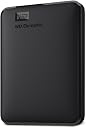
The WD 2TB Elements Portable External Hard Drive offers a massive 2TB capacity with ultra-fast USB 3.0 data transfer speeds up to 5 Gbps. Designed for professionals on the move, it supports plug-and-play functionality across Windows and Mac platforms. Its compact, lightweight form factor makes it the ideal portable storage solution, backed by Western Digital’s trusted 2-year warranty and a stellar 4.7-star rating from over 270,000 users.
| ASIN | B06W55K9N6 |
| Best Sellers Rank | 257 in Computers & Accessories ( See Top 100 in Computers & Accessories ) 5 in External Hard Drives |
| Box Contents | Western Digital 2 TB USB 3.0 Elements Portable External Hard Drive - Black |
| Brand | Western Digital |
| Brand Name | Western Digital |
| Cache Memory Installed Size | 1 |
| Color | Black |
| Compatible Devices | Desktop, Laptop |
| Connectivity technology | USB |
| Customer Package Type | Standard packaging |
| Customer Reviews | 4.6 out of 5 stars 287,326 Reviews |
| Data Transfer Rate | 5 Gigabits Per Second |
| Digital Storage Capacity | 2 TB |
| Digital storage capacity | 2 TB |
| Enclosure Material | Plastic |
| Form Factor | 2.5-inch |
| Hard Disk Description | Mechanical Hard Disk |
| Hard Disk Form Factor | 2.5 Inches |
| Hard Disk Interface | USB 3.0 |
| Hard Disk Rotational Speed | 1 RPM |
| Hard disk form factor | 2.5 Inches |
| Hard disk interface | USB 3.0 |
| Hard-Drive Size | 2000 GB |
| Hardware Connectivity | USB 3.0 |
| Hardware Platform | PC |
| Installation Type | External Hard Drive |
| Item Dimensions L x W x Thickness | 11.1L x 8.2W x 1.5Th centimetres |
| Item Type Name | No |
| Item Weight | 0.29 Pounds |
| Manufacturer | Western Digital |
| Manufacturer Part Number | WDBU6Y0020BBK-WESN |
| Media Speed | 625 |
| Model Name | WD Elements Portable |
| Model Number | WDBU6Y0020BBK-WESN |
| Network Connectivity Technology | USB |
| Number of Items | 1 |
| Product Features | Backward Compatible, Lightweight, Portable |
| Product Warranty | 2 Years |
| Read Speed | 1 Gigabytes Per Second |
| Special feature | Backward Compatible , Lightweight, Portable |
| Specific Uses For Product | Personal |
| UPC | 718037855363 |
J**M
Compact, Fast and Perfect for Everyday Backups
This WD external hard drive is small, lightweight and very easy to use. It works straight out of the box with plug and play on Windows, and it only takes a quick reformat to use with Mac. The 1TB storage is plenty for photos, videos, documents and backups. Transfer speeds are fast with USB 3.0, and files copy smoothly without any issues. It feels well made and reliable, and it fits easily in a pocket or bag for travel. Overall, this is a great option if you want simple, portable and dependable storage at a very reasonable price. I would definitely recommend it.
M**S
Working Very Well Playing PS4 Games On My PS5
Very compact and easy to use at a very competitive price for 2TB. I bought this specifically to take my PS4 games off the internal PS5 SSD but I didn't want to get a 'game drive' specific one as I would have more freedom if I wanted to partition it and backup some PC files as well. The setup couldn't have been easier, I took it out of the box, plugged it in and the PS5 recognised it instantly. I had to format the drive before I could use it which I thought might take a few minutes at most but only took 5 seconds, then I selected around 360GB of PS4 games/apps and started the transfer. After the format I had 1.8TB free which is more than enough and with all drives they need space for their base operating software which is usually a small fraction off the stated capacity, a lot of people clearly don't understand this from some of the reviews complaining they got less capacity than they purchased -_- The transfer was speed really good for a physical drive, better than I was expecting, it took just over an hour for it to finish moving the whole 350+GB to the external drive. My PS5 told me once that the drive wasn't removed properly after powering on after being in rest mode, I didn't remove the drive at all so I'm not sure why it said that. This error message has only come up once and happened the first time the console had been in rest mode with the new drive connected. The console has been in rest mode and turned off multiple times after this message and hasn't given me the error since so it may just be a one time thing. I'll update this review if I come across any issues. Loading PS4 games from the External as opposed to launching them from the internal SSD was a little bit slower. All times below were timed from the point of clicking resume on my game file to actually getting into the game. - Resident Evil 7 took 77sec to load which I'd played the day before on the PS5 SSD which probably took under 30 seconds. In-game the performance was perfect, no frame drop, no noticeable delay on textures rendering in. - Horizon Zero Dawn took 30-40sec which was actually quicker than RE7 despite being a huge open world game, the in-game performance was perfect too even with the 60FPS patch. - God of War took 29 seconds to load into the game. - Batman Arkham Knight took just 32 seconds to load my save and get into the game. - Mortal Shell took just 20 seconds to load into the game. - Call of Duty Modern Warfare took 56 seconds to load into the game from chapter selection.
M**Y
“WD Elements: Because your files deserve a safe home.”
Quietly Does Its Job Like a Digital Hero This WD 2TB Elements hard drive is not flashy. It doesn’t light up, beep, or demand attention. It simply shows up, holds all your stuff, and asks for nothing in return—and honestly, that’s the kind of energy I need in my life. Setup was plug-and-play easy. I plugged it in, my computer immediately recognized it, and suddenly all my photos, videos, work files, and “I’ll organize this later” folders had a safe place to live. Transfer speeds over USB 3.0 are fast, it runs quietly, and it’s small enough to toss into a bag without feeling like I’m carrying a brick. It’s been reliable, stays cool, and hasn’t given me a single scare—which is exactly what you want from something holding 2TB of your digital existence. No drama. No nonsense. Just storage doing storage things very well. If you need extra space and peace of mind, this drive delivers.
D**R
With a little help it does exactly what it says on the tin
On unboxing you get a nice, compact, smart looking unit. Then you plug it into your desktop PC. Despite the A3 printed sheet which contains two illustrations (1of the device showing how to connect it and 2 - another of it plugged into a laptop) the remaining space is taken up with their legal disclaimers in about 14 languages. Connecting most USB HDD's is simply a matter of plugging the correct end of the cable into the device and the other in a suitable USB 2.0 port, or better, on the PC/laptop/other devices etc. It appears other buyers seemed to expect this action. Not so with the latest version of Windows 10. Disk Management did not recognise the drive, so a quick call to their support line within five minutes of opening the package was necessary. Unfortunatley my northeastern accent was as difficult for the operator to understand as was his heavy Asian accent to me. We did manage after a few minutes and ultimately, a very pleasant conversation led to their Western Digital Lifeguard program being downloaded and installed. It's identical to Windows Disk Management except their own software recognises the HDD and allows you to initialise it. I was also given more useful advice on connecting to DVD's etc. One useful piece of information tech support did supply was that the device should be plugged into the USB ports on the rear of any desktop PC, as the front ports tend to have slightly different voltages which can cause some problems. Device is now working effectively and has attained copy speeds of up to 120Mb/s on many of my larger files. Same sized files copied to a flash drive take a bit longer (My test was a 1.8 Gb to the HDD = 16 sec and to a 128 Gb flash drive - over six minutes. I would advise anyone thinking of purchasig this item to have a close look at the description supplied. Apparently there is a new model available, which could fix future problems for buyers. AND I did notice despite complaints by some MAC users it does state you have to reformat the drive for MAC's.
K**H
Very useful external hard drive for copying and transferring files from the computer.
Very useful external hard drive for copying and transferring files from the computer. The 2TB storage provides plenty of space, and it’s easy to use and convenient to carry around. Great for keeping important files backed up and organised.
P**N
Good portable Hard drive
Does what it says on the package
J**N
Huge reliable storage for the best possible price
Comes in fairly minimal packaging - drive, cable and a simple quick-start/support telephone and guarantee fold-out page, all held inside a clear plastic padding structure in a printed box. Just plug it in and the drive appears on Windows machines but you'll need to reformat for use with a Mac, otherwise you won't be able to use the drive. Compact dimensions - slimmer than I was expecting for a 5TB drive as they usually have a higher platter count and the drives are thicker - not so in this case. Nice polished edge to the plastic case and textured elsewhere - looks modern and up to date. I found the USB cable had quite a positive feel when pushed into the drive (wide micro-B type typical of most portable 2.5" USB drives). Cable length typical of branded external drives - maybe a little longer but need to measure (I'm guessing it's about 35 to 40cm). Very quiet - can't hear the spindle motor or any head movement. Transfer rates easily peaking over 90MBytes/sec on a disk to disk transfer over standard USB 3 - it's obviously capable of more but I don't have disk caching turned on. Regarding negative comments about the disk size, it reports as 5 trillion bytes free and as a terabyte is defined as 10^12 bytes, i.e. a trillion bytes, so the claim of 5TB is absolutely correct. A Tebibyte however is strictly defined as 2^40 bytes, i.e. 1,099,511,627,776 bytes. 5 trillion bytes divided by 1099511627776 is 4.54 tebibytes - that's what's being reported as the free space alongside the 5 trillion byte figure in Windows . Windows designation "TB" is not Terabytes, it's Tebibytes. If I look at a 4TB drive, similarly there's 4 trillion free bytes so it is a 4 terabyte drive but windows also shows a figure of 3.63TB which is 3.63 Tebibytes, i..e 4 trillion divided by 1099511627776.
R**Y
Recommended by Computer Tech & So Easy to Use
I was in the market for a portable hard drive as my laptop has limited storage. Additionally, working on multiple devices, it is an easy way to transport documents, enabling them to be opened and edited at a time and place to suit. WD was a brand recommended to me by the technician who services my computer equipment, so I felt confident in selecting the brand. After reading up on a number of alternatives I decided on 1TB unit by Western Digital. This was competitively priced and wasn't much more expensive than one with half the capacity, so it was a no brainer. Once opened, simply plug in to your device using the USB lead provided and away you go. For example, if you have a word document open that you wish to save to the drive, simply press “save as”, locate the WD on your control panel, open the folder and click “save”. I have to say that this is perfect for my requirements. The unit is very compact, has a large memory capacity and stores all of my personal and important documents off of my computer’s inbuilt storage. It has also increased the speed of my laptop by transferring these documents from my computer, which was an added bonus. Best Uses : To free up space and back up your laptop’s (or other device’s) internal hard drive. Pros : Excellent value, compact size, easy to set up, sleek, compatible with Windows 10. Cons : None. In summary : A very good, competitively priced portable hard drive. I hope you found my review helpful and would love for you to click “yes” if you did.
I**A
Spełnia wszystkie wymagania
Bardzo pojemny magazyn pamięci
Y**O
4.5
ممتازة لكن بطئيه
M**K
Excellent Value and Performance
I recently purchased the WD 4TB Elements Portable USB 3.0 High Capacity Hard Drive and I am extremely satisfied with my purchase. The drive is compact and easy to use - just plug it into my computer's USB port and I'm good to go. The 4TB of storage is more than enough for my needs, and the transfer speeds are reasonable for a standard 5400rpm HDD.. One thing that initially concerned me was the drive's tendency to get hot during use. However, I have used it extensively over the past few weeks and have not experienced any issues with overheating. In terms of value, I believe the WD 4TB Elements Portable USB 3.0 High Capacity Hard Drive offers excellent value for the price and the high capacity and decent transfer speeds make it well worth the investment. If you need a lot of storage on the go and are looking for a reliable and high-performance option, I highly recommend the WD 4TB Elements Portable USB 3.0 High Capacity Hard Drive.
P**A
Excelente, me salvó la vida!
Excelente producto! Lo compre y decidí usarlo como respaldo dónde guardé muchas fotos y documentos y me olvidé de él por completo. Este mes decidí descargar todos esos documentos de otra memoria externa que tenía y descubrí que todos mis archivos se habia perdido. Me puse muy triste hasta que me acordé de esta memoria externa y gracias a Dios todo estaba ahí intacto! La verdad si vale la pena tener memorias externas de excelente calidad, y varias, por si acaso. Me salvó la vida!
I**A
It works great. Enjoy a huge amount of storage for a reasonable amount of money.
TL;dr – it works great. Treat it with respect, be prepared to toss the cable it comes with (because they fail) and enjoy a huge amount of storage for a reasonable amount of money. You’ve probably read a ton of reviews on external drives and have arrived here. I’ve been in the tech biz over 44 years and was there when 128Kbyte 8” floppy disks were considered advanced. I’ve used a LOT of different drives. Let’s put this drive into perspective: it is NOT a “portable drive”, it’s an external drive that you can choose to move from place to place. AS WITH ALL SUCH DRIVES, it contains precision moving parts; if you drop it, it will likely break. If you move it around when it’s operating, it probably won’t like it. If you drop your laptop, it will likely break. If you want an external drive that you can really move around, get an SSD. I purchased one of these drives for cloud-storage and archival purposes. Simply put, I needed somewhere to dump large data collections for essentially read-only access as well as having a buffer area for cloud storage synchronization purposes (lots of r/w access to the drive). It worked so well I purchased another and might even get a 3rd. Cloud storage is great for frequently accessed data, but for your video collection, your vast music collection or the 130GB of pictures your spouse took last month, you might want off-line storage. This is a great choice. Is it fast? Slower than an SSD but faster than many external hard drives out there. If you want speed, use the local SSD in your device or get an external SSD drive. If you don’t want that expense, this is still a great drive. In operation the drive is whisper quiet and runs slightly warm. You may have read about the “click of death”, well, yeah, it happened to me too. It won’t run on an overloaded unpowered USB hub (click, click due to lack of power). The cable it comes with is frankly troublesome and honestly you should invest in a replacement. Yup, click, click, click because the cable failed (fortunately I had another to hand, doesn’t everyone?). All that will happen with other drives too, so it’s nothing unusual. My system: Win10 Pro and Win10 Home on Lenovo, Surface Books and Surface Pro; works out of the box just fine. For those complaining that the drive doesn’t work with some backup software; that’s not the drives fault. For those complaining about the speed for gaming purposes, that’s not the drives’ fault either, you should have purchased an SSD. Yes, it will work with Onedrive; just create a junction from your Onedrive folder to the required folder in the external drive. mklink /J srcFolder destFolder Since you have a large capacity drive for large data sets, robocopy (part of Windows) will be your friend as well as mklink to create junctions from your main drive to connection points in external drives filesystems. What happens if the drive goes down? As with any other drive, you might have lost your data. The solution is to (gasp) purchase two drives and sync one with the other. Pro’s: 5TB of storage for <$100. Quiet, fast and gets the job done. It’s a disk drive, it’s not there to be exciting. Con’s: I didn’t like the cable; invest $6 on a better one. As with ALL DRIVES, you need to treat it nicely.
Trustpilot
2 months ago
1 month ago