Buy anything from 5,000+ international stores. One checkout price. No surprise fees. Join 2M+ shoppers on Desertcart.
Desertcart purchases this item on your behalf and handles shipping, customs, and support to Mongolia.
🚀 Unlock lightning-fast Linux WiFi with range and security that means business!
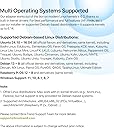
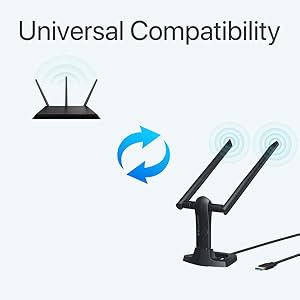
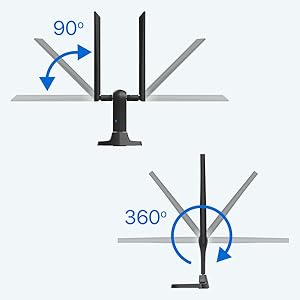
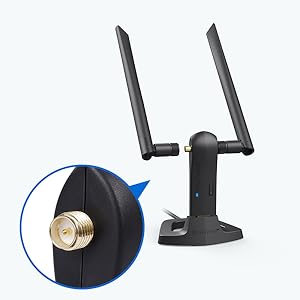
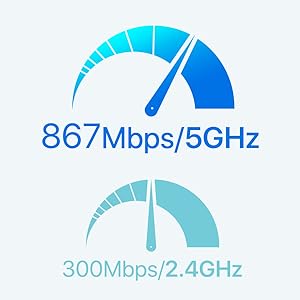
The BrosTrend AC1200 Linux WiFi Adapter is a high-performance USB 3.0 wireless adapter designed for professional Linux users and Windows alike. Supporting over 30 Linux distributions with kernel 6.2+, it delivers dual-band speeds up to 1200Mbps, enhanced by two adjustable 5dBi antennas for extended range and stability. Featuring advanced WPA3 security and multiple working modes, it’s the ultimate plug-and-play solution for seamless, secure connectivity on desktops, laptops, and Raspberry Pi devices.


| ASIN | B07FCN6WGX |
| Best Sellers Rank | #289 in USB Computer Network Adapters |
| Brand | BrosTrend |
| Built-In Media | 1 X 1200Mbps Long Range Linux USB WiFi Adapter, 2 X External High Gain Antennas, 1 X 5-Feet USB 3.0 Extension Cradle |
| Color | Black |
| Compatible Devices | Desktop, laptop, computer, PC, notebook |
| Compatible Operating System Family | Linux, Windows |
| Customer Reviews | 4.2 out of 5 stars 1,796 Reviews |
| Data Link Protocol | IEEE 802.11ac/n/a 5GHz, IEEE 802.11n/g/b 2.4GHz |
| Data Transfer Rate | 1200 Megabits Per Second |
| Hardware Interface | USB 3.0 |
| Item Dimensions L x W x H | 3.7"L x 3.9"W x 7"H |
| Item Type Name | Linux USB WiFi Adapter for Long Range, Kali Linux USB WiFi Adapter, USB WiFi Adapter Linux, Linux USB WiFi Adapter, Linux Compatible WiFi Adapter |
| Item Weight | 60 Grams |
| Manufacturer | BrosTrend Technology LLC |
| Mfr Part Number | AC3L Kali Linux Wi-Fi Adapter |
| Model Number | AC3L Linux WiFi Adapter |
| Product Dimensions | 3.7"L x 3.9"W x 7"H |
| UPC | 742186982243 |
| Warranty Description | Register for 2-Year Warranty |
D**R
Easy install on Linux.
I recently purchased the BrosTrend Linux WiFi Adapter, and I must say I am thoroughly impressed with its performance. This little device has made a significant difference in my overall computing experience, and I couldn't be happier. First and foremost, the installation was an absolute breeze. As someone who has struggled with setting up other WiFi adapters in the past, I was pleasantly surprised at how straightforward the process was. It seamlessly integrated with my Linux system, and within a matter of minutes, I was up and running with a stable and reliable internet connection. The signal strength and speed of this adapter are exceptional. I live in a large house with multiple walls and floors, and I was worried about the range and signal quality. However, the BrosTrend Linux WiFi Adapter has exceeded my expectations. It provides a strong and consistent connection throughout my home, and I no longer experience any lag or buffering when streaming or gaming. What's also worth noting is the compact and sleek design of this adapter. It's small enough to remain inconspicuous when plugged into my laptop, and it doesn't obstruct other USB ports. Plus, it doesn't get in the way when I'm on the move, making it perfect for both home and on-the-go use. I also appreciate the driver support for Linux. BrosTrend has done an excellent job ensuring that their product is compatible with a wide range of Linux distributions, which is a big plus for users like me who prefer open-source operating systems. Overall, the BrosTrend Linux WiFi Adapter has made a significant difference in my daily computing activities. It's reliable, fast, and hassle-free. If you're a Linux user looking to improve your wireless connectivity, I wholeheartedly recommend giving this adapter a try. It's a fantastic investment that will undoubtedly enhance your online experience.
R**7
Great WiFi Adapter for a Good Price
I've been a Linux geek for thirty years and I have a long list of experiences with hardware that was supposed to work well with Linux but either didn't do that or only did it after after hours (and hours!) of frustrating research and experimentation. So it's nice when a product shows up that is just as advertised and a good performer as well. This adapter qualifies on both counts. I needed an additional adapter for a laptop I use for WiFi systems analysis and this one has good reviews and recommendations. Also, BrosTrend is known in the Linux world as a solid company. So I bought it. I ran into a glitch installing the driver, didn't immediately understand the problem, and clicked on over to the troubleshooting area on the BrosTrend website. Bingo. In, literally, a few seconds the site indicated that the problem was because UEFI Secure Boot was enabled. I should have noticed (I've only been doing this stuff forever!) but I didn't. Thanks to the thoughtful and well-written troubleshooting info on the BrosTrend site, I fixed the issue with a few keystrokes. The adapter works exactly as expected and I have another helpful gadget for analyzing the messy and crowded wireless networking universe. The adapter is recommended and BrosTrend is *highly* recommended.
S**S
Works with Linux
Works with Ubuntu/Kubuntu, couldn't be happier. The vertical USB extension is great, sits neatly on my desk and no worries about breaking it off sticking out the back. I haven't tested speeds on it yet, but I'm seeing very high throughput.
L**R
Several Scares with a Perfect Result
I brought the first scare on myself by ordering a product with only ONE review, something I virtually never do. But this device offered what I needed, so I took the chance. And I'm mighty glad I did. The Ethernet connection on my old PC (running KDE neon 5.13.1) had suddenly dropped from a download speed of 6 Mbps to a little over 1. Some tests indicated that the culprit was a degraded hardware component on the motherboard. My second scare came when the device arrived. The very attractive package was a blister pack you could actually open with your bare hands. However, the included Quick Installation Guide included instructions only for Windows and OS X. Uh, oh. A mini CD was enclosed and the Linux directory included a bewildering array of files, including PDFs and source code. Scare #3! I went back to the Amazon page and found this paragraph: Comes with an expertise Linux Support Ticket via email for installation on Linux OSes listed above, please send us an email at support@trend-tech.net.cn for help, please tell us your OSes type and order number in the email. My email got a fast response that attached a PDF installation guide. I was pleased to see that the guide WAs brief and very specific for Ubuntu/Debian systems. You execute a command that installs software needed to compile the driver and then does the compilation and installation of the driver. The procedure requires a wired connection to the Internet, which could be a problem. A link is provided that would enable you to download the .deb file on another machine. However, they recommend that you not use this approach unless you have to. After the prompt was returned I plugged the device in and it was immediately recognized by the system. I shut down the PC, disconnected the Ethernet cable, and rebooted. I used the KDE System Settings to add the woreless device. My "perfect result" is that I am once again getting downlaod speeds of over 6 Mbps. Update: After using this device for a month, here are some added observations. On my hard drive I have three Linux systems in separate partitions with the device working on all of them: Linux Mint-XFCE, KDE neon, and Lubuntu. Doing a major update that included the Linux kernel caused me to lose the connection with the device. Help from TrendTech support got me going again. I just had to execute two commands: sudo dpkg-reconfigure rtl8812au-dkms sudo modprobe 8812au Today I did similar updates with Linux Mint and KDE neon. The fix was again necessary with the former but not with the latter. I continue to be very pleased with my purchase.
M**Y
Excellent Tech Support and Product
I purchased the AC3L almost a year ago to use on my laptop which I had converted to Linux Mint. With the assistance of tech support it installed easily and worked flawlessly. Last week I installed a kernal update to Linux and when it rebooted the WiFi adapter was no longer working. I panicked because I had no other way to connect to the net on that device. So on a gamble I sent an email to tech support (on a Saturday no less) and they responded within a few hours. With their help I was able to tether my phone to the laptop and reinstall the driver for the adapter. It's working great and I can't thank their tech support enough for their timely and effective help. As an update to this review (3/5/25) .. I replaced my previous laptop with a newer one and installed Linux Mint on it. The install recognized the on board WiFi adapter and I thought I would no longer need AC3L. Well after a few hours the WiFi disconnected but I could restore it with a reboot. Well this became a recurring problem and I couldn’t find a solution so I decided to use the AC3L and the WiFi signal is now rock solid.
I**K
Worked for a while, then died.
Edit 2: The seller ended up refunding my money, so I can't find any fault with their support. Edit: The adapter worked great for about a week or two, then slowly started becoming less and less reliable. My connection would fail, and I would have to re-seat the adapter, or reboot. The activity light would either come on solid blue, or turn off entirely. Today the adapter stopped working entirely. It initially looked like the provided extension cable might have been part of the problem. I removed the extension cable and plugged the adapter directly into the back of my PC. That initially brought it back to life, when it hadn't been working at all. However, within a few minutes, the light turned solid blue and the adapter stopped working. My prior adapter, an internal TP-Link card, began constantly dropping the connection, and would take forever to reconnect. The problem seemed to start when I moved the router a little further away from my desktop, but no other wi-fi device was affected, even in the same room, and signal strength was still over 50%. I decided to see if I could find a better, more stable adapter. I was somewhat hesitant to buy from a brand I had never heard of, but BrosTrend seems to be the only company that has wholeheartedly embraced the linux community, so I was willing to give them a chance. So far, I have not been disappointed. The install was easy, although you do need to have an internet connection to download the media. Now that I'm up and running, I have not lost connection once, and my signal strength and download speeds are consistently better than they had been before. If you have reservations about buying from a smaller brand, it's worth remembering that all of the wi-fi adapters on the market, no matter who sells them, all use chipsets from the same five or six vendors. In this case, it's a Realtek chipset, and they make chipsets for all the big companies.
T**D
Works really well for me.
This was part of what turned out to be a 3 step process to get WiFi out to my detached garage. When I started, I was getting no WiFi reception in the garage at all. This is using an 8 year old Dell laptop that was a “bargain” unit to begin with, so it wasn’t using top of the line components. The onboard WiFi adapter was single (2.4 GHz only) frequency and weak on signal reception. The first step was to get a WiFi range extender. That got me some reception in the garage, but signal strength was so-so and download speeds were really slow (about 0.5 Mbps according to speedtest). This WiFi adapter was the second step. I bought it because while I use Windows when I have to, I prefer to work with Linux Mint and the listing said it would work with Linux. I started by installing it under Windows, because the drivers were available for download on the BrosTrend web site. After installation, I initially found no increase in WiFi performance which was a major disappointment. I soon figured out that I needed to go to Control Panel\All Control Panel Items\Network and Sharing Center\Network Connections. There I could disable the onboard adapter and enable the BrosTrend. Connected to my network and BINGO – immediate gratification! The 5 GHz frequency was available and I was getting download speeds over 100 Mbps – about 200 times the speed I had before. That is a result! Even on the 2.4 GHz channel I get downloads over 20 Mbps. I am really pleased with all of that. The third step was to get the adapter working under Linux. As the listing stated and other reviewers have pointed out, BrosTrend requires you to connect to their site to install the Linux driver. Since my laptop didn’t have an Ethernet port (see “bargain” unit above), I sourced an Ethernet to USB adapter locally and was able to obtain the driver that way. Loaded it up and it worked like a champ. Again, really happy with the result. While I would rather have saved the extra $20 I spent on the Ethernet adapter had BrosTrend just made the Linux driver available for download, I give them great credit for supporting Linux at all. The easy thing for them to do would be to just cover the Windows/Mac world and be done with it. So thanks for helping those of us who have ventured off the beaten path! Five stars all around!
L**R
Works With Ubuntu 22.04. Follow The Easy Included Instructions.
Worked very well with Ubuntu 22.04. I did what I usually do, which is try to search the internet for how to install the driver in Linux. I wasted 40 minutes installing an outdated driver that probably wasn't working. I finally opened the package and found the little CD inside with a PDF with the very simple instructions to install the Linux driver directly from the manufacturer's website. You don't even need the little CD. There is a little slip of paper next to the CD with the URL for the simple Linux installation instructions. Go to their website and installing the driver under Linux takes maybe two minutes and it updates the repository on the computer so driver updates occur automagically. The twin antenna dual band USB WiFi adapter is far superior to the little 2.4 GHz WiFi dongle I had plugged into the front of my computer with a tiny built in antenna. Now my computer is seeing four times as many WiFi SSIDs. I'm thinking of putting a 3D print farm in a room on the other side of the house, a floor below off the basement, and this new WiFi adapter should allow me to manage that print farm from my office. The old slow dongle wouldn't have the range and the speed would make multiple video feeds problematic.
N**E
Good product
Works great.
C**A
Funciona genial.
Con esta antena si funciona el WiFi. Fácil de configurar en Linux mint y en Windows funciona directamente.
N**.
Excelente compra
Fué muy fácil de instalar, no tuve necesidad de hablar con soporte las mismas instrucciones, me funciona en Debian 11
O**N
Linux’a tak çalıştır
Arc linux kurulu PC’ye USB’ye takar takmaz çalıştı. Driverını benim kurmama gerek kalmadı. Çekiş gücü ve ping değeri de çok iyi. Yaklaşık bir aydır kullanıyorum bir problem yaşamadım.
A**E
Bra nätverksadapter
Fungerar klockrent med mitt Linux system. Drivrutiner skall finnas att hämta från öppna källor, man ska inte behöva logga in med Amazon nummer för att komma åt drivrutiner
Trustpilot
4 days ago
1 month ago